
Some purchases from the App Store, iTunes Store, Apple Books, or other Apple services might be eligible for a refund. You can use any device with a web browser to request a refund.
How to request a refund
- Sign in to reportaproblem.apple.com.
- Tap or click "I'd like to," then choose "Request a refund."
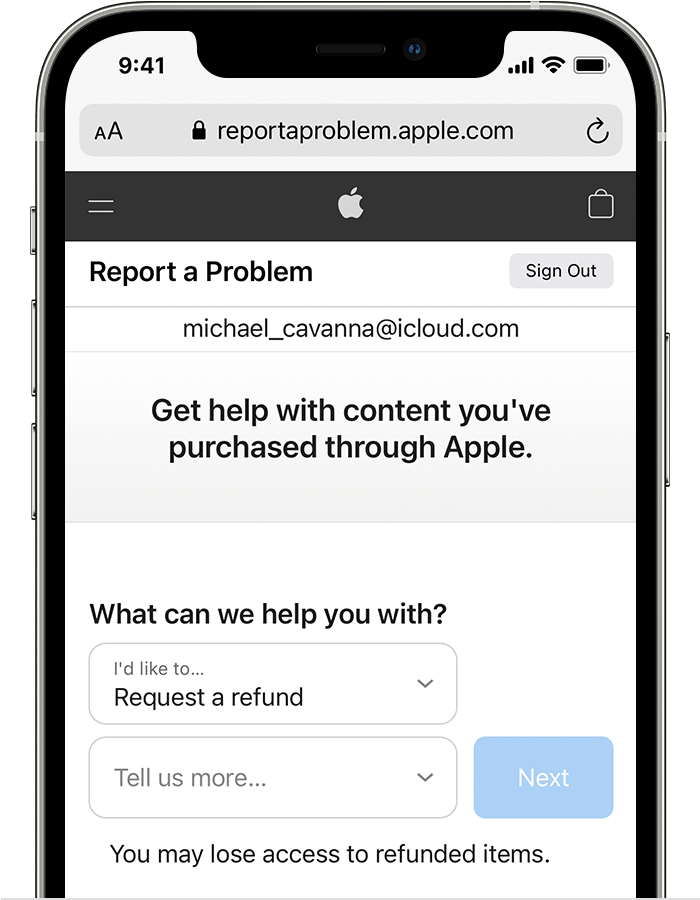
- Choose the reason why you want a refund, then choose Next.
- Choose the app, subscription, or other item, then choose Submit. If you were charged for a subscription that you no longer want, you can also cancel the subscription.
If you can't request a refund on reportaproblem.apple.com
- If the charge is pending, you canʼt request a refund yet. After the charge goes through, try to request a refund again.
- If you have an unpaid order, you need to pay for that order before you request a refund. You might need to update your payment information.
- If you don't know why you were charged, review your family members' purchases. If you're the family organizer, tap or click the Apple ID button, then choose All. Purchases charged to your shared payment method appear.
Comments
0 comments
Please sign in to leave a comment.